
Complete Guide to AI-Powered Business Automation
Everything you need to know about implementing AI automation in your business. From basic concepts to advanced strategies for teams of 10-30 employees.
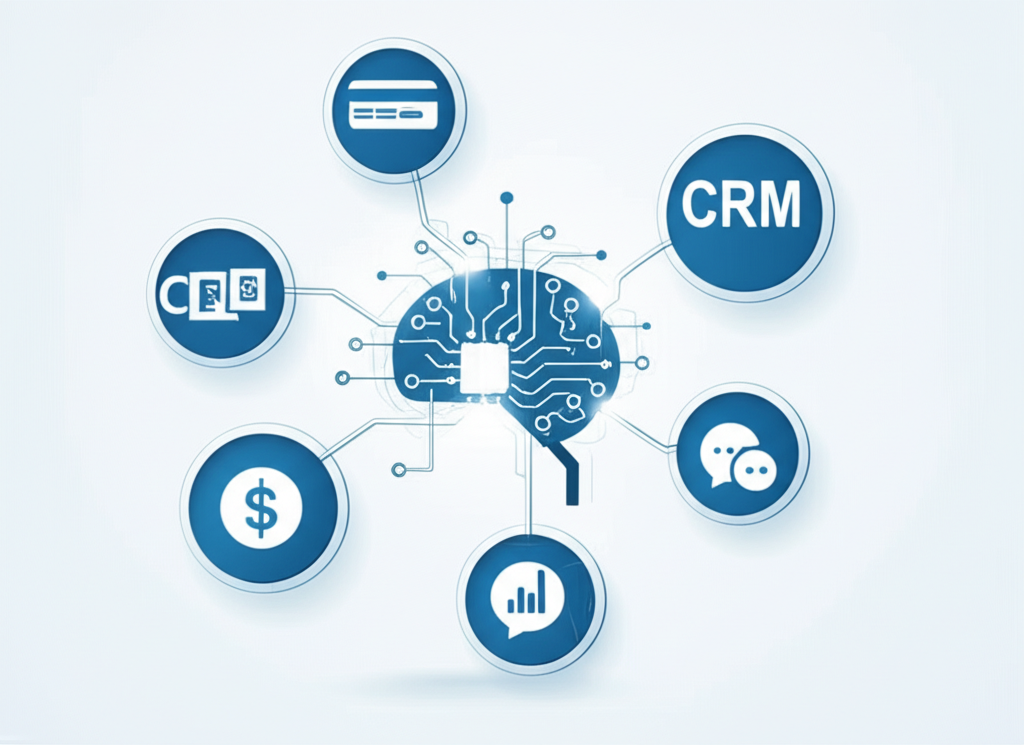
AI-powered automation isn’t just for enterprise companies anymore. With the right approach, teams of 10-30 people can leverage the same technologies that Fortune 500 companies use—without the complexity or cost.
Why AI Automation Matters for Growing Teams
When your team is small, every minute counts. You don’t have dedicated operations staff to handle repetitive tasks. You don’t have IT departments to build custom integrations. What you do have is a collection of SaaS tools that don’t talk to each other.
That’s where AI automation comes in. By connecting your tools and adding an intelligent layer on top, you can:
- Reduce context switching by bringing data to where you work
- Automate repetitive queries that eat up hours each week
- Get proactive insights without manually pulling reports
- Scale your operations without scaling your headcount
The Building Blocks of AI Automation
1. Data Integration
Before AI can help you, it needs access to your data. Modern integration platforms use APIs and protocols like MCP (Model Context Protocol) to connect your tools securely.
The key integrations for most businesses include:
- CRM (HubSpot, Salesforce) - customer and deal data
- Payments (Stripe, QuickBooks) - revenue and financial data
- Project Management (Notion, Monday, Asana) - operational data
- Analytics (Google Analytics, Mixpanel) - usage and growth data
- Communication (Slack, Teams) - where your team works
2. Natural Language Interface
The magic of modern AI is that you can ask questions in plain English:
“What’s our revenue this month compared to last month?” “Who are our top 5 customers by lifetime value?” “What deals are stuck in the pipeline for more than 30 days?”
No SQL queries. No dashboard navigation. Just questions and answers.
3. Workflow Automation
Beyond answering questions, AI can take actions on your behalf:
- Create tasks when deals reach certain stages
- Send notifications when metrics hit thresholds
- Update records across multiple systems
- Generate reports on a schedule
Implementation Strategies
Start Small, Think Big
Don’t try to automate everything at once. Start with one high-impact use case:
- Identify your most-asked questions - What do people constantly look up?
- Connect those data sources - Usually 2-3 tools to start
- Train your team - Show them how to ask questions
- Measure the impact - Track time saved and adoption
- Expand gradually - Add more integrations and use cases
Security First
When connecting business tools, security is paramount. Before using any AI tool with company data, understand the risks of ChatGPT and business data privacy.
- Use OAuth for authentication (never share passwords)
- Implement role-based access controls
- Audit all queries and actions
- Choose providers with SOC 2 compliance
- Consider private AI deployments for sensitive data
Change Management
The technical implementation is often easier than the human side. Help your team adopt AI automation by:
- Demonstrating value with quick wins
- Providing training and documentation
- Celebrating early adopters
- Gathering feedback and iterating
Common Use Cases by Department
Sales Teams
The most common starting point is connecting your CRM to Slack:
- Real-time pipeline updates in Slack
- Automated lead scoring notifications
- Deal velocity tracking
- Competitor mention alerts
Finance Teams
- Daily revenue summaries
- Expense anomaly detection
- Cash flow forecasting
- Automated invoice reminders
Operations Teams
- Project status rollups
- Resource allocation insights
- Bottleneck identification
- Cross-team dependency tracking
Measuring ROI
To justify and expand your AI automation investment, track these metrics:
- Time saved per week - Survey your team before and after
- Questions answered - Log all AI interactions
- Tool consolidation - Reduced dashboard logins
- Decision speed - Time from question to action
- Employee satisfaction - NPS or satisfaction surveys
Getting Started with DialogStack
DialogStack makes AI automation accessible for growing teams. Our platform:
- Connects 50+ SaaS tools out of the box
- Lives in Slack and Teams where you already work
- Requires no coding or technical expertise
- Scales with your business as you grow
Ready to transform how your team works? Contact us for a personalized demo.
Conclusion
AI-powered business automation is no longer optional for competitive teams. The question isn’t whether to implement it, but how quickly you can get started.
Start small, focus on high-impact use cases, and build from there. Your future self will thank you for the hours saved and insights gained.
Tags